

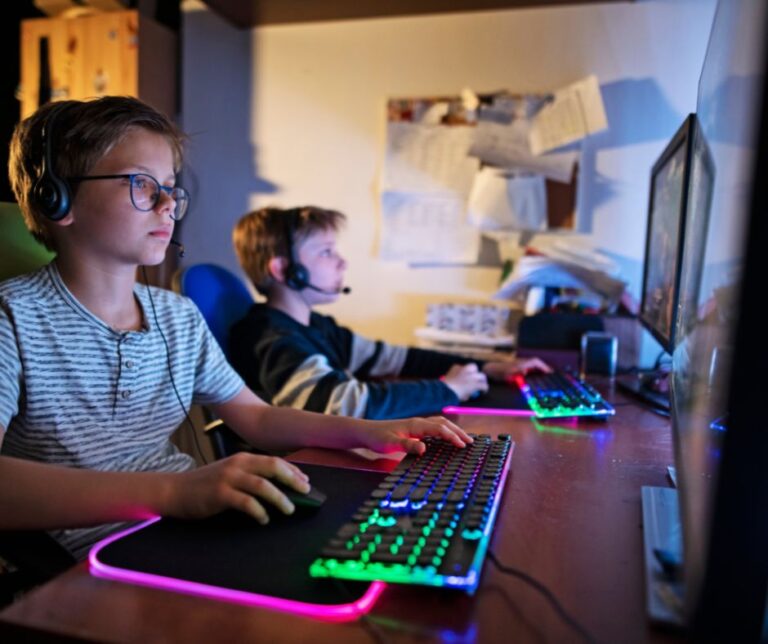
Online gaming is no longer just entertainment — it’s a social platform, marketplace, and communication hub combined. In 2026, hundreds of millions of children and teens log in daily to games like Fortnite, Roblox, Minecraft, and Call of Duty.
Many of these platforms report tens of millions of daily active users. Some gaming ecosystems now generate more revenue annually than the film industry in certain regions. That scale makes them attractive targets for cybercriminals.
While gaming can improve creativity, strategic thinking, and teamwork, it also exposes children to cybersecurity, privacy, and financial risks that many parents underestimate.
This 2026 guide explains the hidden dangers — and the concrete steps parents can take to reduce them.
🎮 Why Online Gaming Is a Cybersecurity Target
Modern games are full digital ecosystems that include:
- Live voice chat and messaging
- Digital wallets and in-game currencies
- Marketplace trading systems
- User-generated content
- Cross-platform cloud accounts
- Social media integrations
Major ecosystems like PlayStation and Xbox connect millions of players across consoles, PCs, and mobile devices.
From a criminal’s perspective, gaming platforms offer:
- Large numbers of young, less security-aware users
- Stored payment methods
- Valuable digital assets (skins, rare items, accounts)
- Easy anonymous communication
Children are particularly targeted because:
- They trust quickly in online friendships
- They may reuse weak passwords
- They may not detect phishing attempts
- They are motivated by rare in-game rewards
Gaming is no longer “just play.” It’s a digital economy.
⚠️ 1. In-Game Scams & Virtual Currency Theft
Virtual currencies such as V-Bucks, Robux, and other in-game tokens are now worth billions globally.
Scammers typically:
- Offer “free currency generators”
- Send fake tournament invitations
- Impersonate game moderators
- Post phishing links in chat
- Create fake YouTube giveaway comments
Victims are redirected to phishing sites designed to look official. Once login details are entered, attackers:
- Steal accounts
- Transfer rare items
- Change passwords
- Use saved payment methods
Some hacked gaming accounts are resold on underground markets for real money.
Data trend: Account takeover attacks targeting gaming platforms have increased significantly in recent years due to the resale value of high-level accounts.
Red flag: Any website promising unlimited free in-game currency is almost certainly fraudulent.
🎤 2. Voice Chat Grooming & Social Engineering
Voice chat has transformed online gaming into a real-time social space.
However, anonymity creates risk.
Predators and scammers may:
- Pretend to be the same age as the child
- Build trust over weeks or months
- Encourage moving conversations to private apps
- Ask for personal photos or details
- Manipulate children emotionally
This is a form of social engineering — psychological manipulation to gain trust or extract information.
In some cases, criminals use gaming environments to:
- Collect personal information
- Blackmail minors
- Coordinate financial scams
Voice-based manipulation has increased due to AI-generated voice tools that can imitate age, tone, and emotion convincingly.
Parents often underestimate how personal gaming conversations can become.
🛑 3. Malware Disguised as Game Mods
Games such as Minecraft and Roblox support modifications and custom content.
While many mods are safe, unofficial downloads pose risks.
Common attack methods include:
- Fake “FPS boosters”
- Cheat engines
- Cracked premium versions
- Custom skins bundled with hidden software
Malware hidden inside downloads can:
- Steal saved browser passwords
- Capture keystrokes
- Access webcams or microphones
- Install ransomware
- Spread across home Wi-Fi networks
Children often search for free enhancements without understanding the security risks.
Once malware enters a device, it can compromise the entire household network.
💳 4. Hidden Microtransaction Risks
The global gaming industry earns billions annually from microtransactions.
Risks include:
- Children unintentionally spending large amounts
- In-app purchases made without understanding real-world value
- Saved credit cards exploited after account hacking
- Recurring subscription charges unnoticed by parents
Some families have reported thousands of dollars in unexpected gaming charges.
Attackers who gain access to accounts may quickly:
- Purchase digital items
- Resell them
- Drain stored payment balances
Because transactions are small and frequent, suspicious spending may go unnoticed for weeks.
📱 5. Cross-Platform Account Exposure
Most games allow cross-platform syncing between:
- Consoles
- PCs
- Tablets
- Smartphones
These accounts are often linked to:
- Email addresses
- Social media profiles
- Cloud storage
If one linked account is compromised, attackers may access the entire ecosystem.
For example:
- A weak email password can lead to full gaming account takeover.
- A hacked social media account can expose gaming login credentials.
Children may also reveal personal details unintentionally in profiles, including:
- Real name
- Age
- City
- School
Small details combined can enable identity profiling.
🧠 6. Psychological Manipulation & Peer Pressure
Modern games are designed to encourage engagement through:
- Limited-time events
- Rare cosmetic items
- Competitive rankings
- Social status systems
This creates urgency and emotional pressure.
Scammers exploit this by:
- Claiming access to “exclusive early skins”
- Offering fake sponsorship deals
- Impersonating popular streamers
- Creating fake esports recruitment messages
Children may feel pressured to act quickly without verifying legitimacy.
Cybercriminals understand gaming psychology — and use it.
🔐 How Parents Can Protect Their Children
1. Enable Parental Controls
Platforms like:
- PlayStation
- Xbox
- Roblox
Offer built-in tools to:
- Restrict voice chat
- Block unknown messages
- Set spending limits
- Approve friend requests
- Control playtime
These features dramatically reduce exposure to strangers.
2. Turn On Two-Factor Authentication (2FA)
Two-factor authentication adds a second security layer.
Even if a password is stolen, attackers cannot log in without:
- A verification code
- An authentication app
- A hardware security key
2FA prevents the majority of automated account takeover attempts.
3. Teach Clear “Never Share” Rules
Children should never share:
- Passwords
- Verification codes
- Real-life address
- School details
- Personal photos
Make it clear:
Game administrators will never ask for passwords in chat.
4. Monitor — Without Spying
Effective strategies include:
- Keeping gaming devices in shared family spaces
- Playing together occasionally
- Reviewing friend lists
- Talking openly about online interactions
Children are more likely to report suspicious behavior if they feel safe discussing it.
5. Use Strong, Unique Passwords
Best practices:
- Minimum 12–16 characters
- Mix of letters, numbers, symbols
- No reuse across accounts
- Consider a reputable password manager
Most gaming hacks occur because of weak or reused passwords.
🚨 Warning Signs Your Child’s Gaming Account Is Compromised
Watch for:
- Missing skins or items
- Sudden password reset emails
- Login alerts from unknown locations
- New friends added automatically
- Unexplained purchases
- Increased secrecy or anxiety
Early detection limits financial and privacy damage.
📊 Why This Risk Is Growing in 2026
Several factors increase risk:
- AI-generated phishing messages are harder to detect
- Voice cloning improves impersonation
- Gaming populations continue expanding globally
- Children spend more time online than previous generations
- Digital items now hold real resale value
Cybercrime follows opportunity — and gaming offers both scale and profitability.
❓ FAQ: Children & Online Gaming Safety
Is online gaming safe for children?
Yes, when supervised properly and secured with parental controls and education.
Should I disable voice chat?
For younger children, disabling it is recommended. For teens, limit chat to known friends.
Are free skin generators legitimate?
No. These are almost always phishing scams designed to steal accounts.
What age is appropriate for online gaming?
Most platforms recommend 13+, but maturity and supervision matter more than age alone.
How often should I review my child’s gaming settings?
At least every few months — and after major game updates.
🛡 Final Thoughts
Online gaming offers creativity, teamwork, and fun — but it also carries cybersecurity risks that many parents underestimate.
The most effective protection combines:
- Technical controls
- Open communication
- Digital education
- Ongoing supervision
In 2026, protecting children online isn’t just about installing antivirus software.
It’s about active, informed digital parenting.


0 Comments