

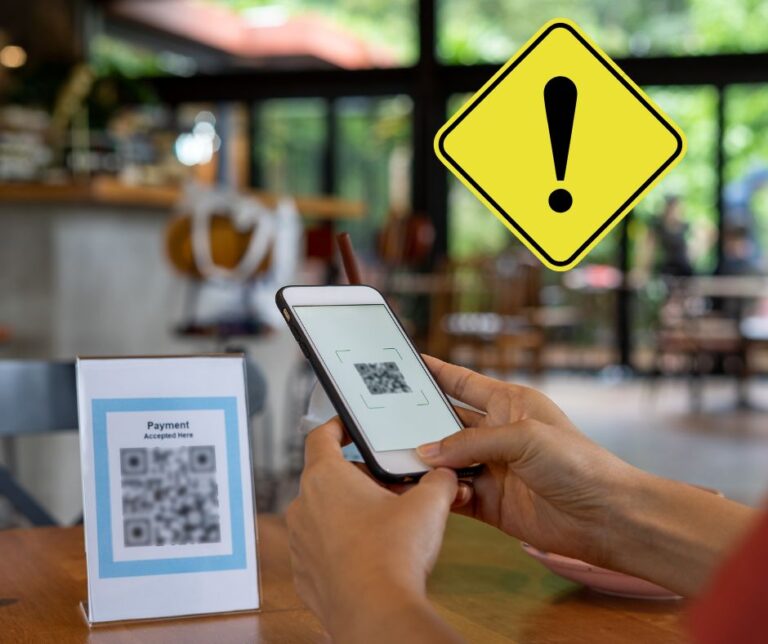
QR code scams (also called quishing) continue to grow in 2026 as cybercriminals exploit trust, convenience, and the global use of QR codes in daily life. These attacks target individuals, businesses, and even government services.
📌 What Are QR Code Scams (Quishing)?
QR code scams happen when attackers create fake or malicious QR codes that:
- Redirect users to phishing websites
- Install malware on devices
- Steal login credentials
- Capture banking information
- Trigger unauthorized payments
- Collect personal data
Unlike traditional phishing emails, QR codes hide the destination link. When you scan them, your phone automatically opens a website — meaning you may not clearly see the URL beforehand.
🔎 Why This Is Dangerous
- Users trust QR codes.
- Many people scan without checking.
- Security systems struggle to analyze QR images.
- Attackers can change the QR destination at any time (dynamic QR codes).
In 2026, attackers increasingly combine QR scams with:
- Email phishing
- SMS scams
- Social media messages
- Physical mail fraud
- Fake customer service notices
🔥 Why QR Code Scams Are Rising in 2026
📈 1. Massive Global QR Adoption
QR codes are now used in:
- Restaurants (digital menus)
- Public transportation tickets
- Parking systems
- Event check-ins
- Banking apps
- Government services
- Delivery tracking
- Online payments
- Wi-Fi access
- Marketing campaigns
The more QR codes exist in public spaces, the more opportunities scammers have to replace or mimic them.
🪪 2. Physical QR Code Tampering
One of the fastest-growing methods is:
- Scammers placing stickers over real QR codes
- Fake QR codes placed on parking meters
- Fraudulent codes on posters
- Tampered restaurant table cards
- Fake QR codes in mail packages
Victims believe the code belongs to the business — but it redirects to a fake site.
🛡️ 3. Bypassing Traditional Email Protection
Many security systems scan text links.
But QR codes:
- Appear as images
- Cannot be easily analyzed by basic filters
- Often bypass email security tools
Attackers embed QR codes inside:
- PDF files
- Images
- Digital invoices
- Fake receipts
🧠 4. Social Engineering Improvements
Modern scams are highly convincing.
Attackers use:
- Professional-looking design
- Official logos
- Brand colors
- Urgency messages (“Scan to avoid account suspension”)
- Fake security alerts
- Fake payment confirmations
Psychological pressure increases success rates.
📊 5. Increased Mobile-First Usage
Most people scan QR codes using smartphones.
Mobile devices:
- Display smaller URLs
- Hide full web addresses
- Encourage fast actions
- Are often less monitored than computers
This makes mobile users primary targets.
🚨 Common QR Code Scam Examples in 2026
🚗 Fake Payment & Parking Scams
Scammers:
- Replace payment QR codes
- Redirect users to fake payment portals
- Steal credit/debit card details
Victims think they are paying a fine or fee — but the money goes to criminals.
📦 Delivery & Package Scams
You may receive:
- Unexpected packages
- Delivery notifications
- “Confirm your shipment” messages
- Fake return instructions
Scanning the QR code leads to:
- Fake tracking pages
- Data collection forms
- Account login theft
🏦 Bank & Financial Account Scams
Attackers create QR codes that:
- Mimic banking login pages
- Request account verification
- Ask for OTP codes
- Request identity confirmation
Goal: full account takeover.
🪙 Cryptocurrency Scams
Scammers send QR codes that:
- Claim to link wallets
- Ask for recovery phrases
- Pretend to offer investment opportunities
- Lead to fake crypto platforms
Once recovery information is entered, funds are stolen.
🧾 Invoice & Business Email Scams
Businesses receive fake invoices containing:
- QR codes for payment
- Urgent settlement requests
- Fake supplier confirmations
This targets companies and freelancers heavily.
🏙️ Public Space Code Replacement
Common targets:
- Restaurants
- Train stations
- Bus stops
- Airports
- Event venues
- Universities
Stickers can be placed quickly and are hard to notice.
🛡️ How to Protect Yourself
✅ 1. Scan Only When Necessary
Ask:
- Did I expect this QR code?
- Is this from a trusted source?
- Is there another way to verify?
If not necessary, do not scan.
🔍 2. Preview the Link Before Opening
Modern smartphones show:
- The website address
- A preview of the link
- Security warnings in some cases
Always check:
- Does the domain match the official company?
- Is there spelling variation?
- Does it look suspicious?
👀 3. Check Physical QR Codes Carefully
Look for:
- Stickers placed over existing codes
- Misaligned printing
- Cheap paper overlays
- Unofficial placement
If something looks altered, avoid scanning.
❌ 4. Never Enter Sensitive Data Immediately
After scanning, if asked for:
- Password
- Banking information
- Credit card details
- Identity documents
- One-time passwords
Stop immediately.
Instead:
- Manually type the official website.
- Use the company’s verified app.
📡 5. Use Built-In Security Features
Enable:
- Two-factor authentication (2FA)
- Biometric login (fingerprint/face)
- Strong passwords
- Security alerts for account activity
These reduce damage if credentials are stolen.
🛠️ 6. Keep Your Phone Updated
System updates:
- Fix security vulnerabilities
- Improve link detection
- Strengthen malware protection
Always update:
- Operating system
- Browser
- Security apps
🚨 7. Use Trusted QR Scanners
Some scanners:
- Show full URLs before opening
- Warn about suspicious links
- Detect known phishing domains
Avoid unknown scanner apps.
🧠 If You Have Already Scanned a Suspicious QR Code
Immediate Steps:
- Disconnect from Wi-Fi/mobile data.
- Do not enter any information.
- If you entered credentials, change passwords immediately.
- Enable 2FA if not already active.
- Run a malware scan.
- Monitor bank and email accounts.
- Contact your bank if financial data was entered.
Quick action reduces damage significantly.
📌 Final Takeaway
In 2026, QR code scams are:
- More common
- More professional-looking
- Used in physical and digital attacks
- Targeting individuals and businesses
- Harder to detect than traditional phishing
The key defense is simple:
👉 Pause before scanning.
👉 Verify the source.
👉 Preview the link.
👉 Never enter sensitive information blindly.
QR codes are useful — but only when used safely.


0 Comments